We use cookies to make your experience better. To comply with the new e-Privacy directive, we need to ask for your consent to set the cookies. Learn more.

Blog
-
 September 04, 2026
What Happens on Event Day? A Look Behind the Scenes of AV Setup
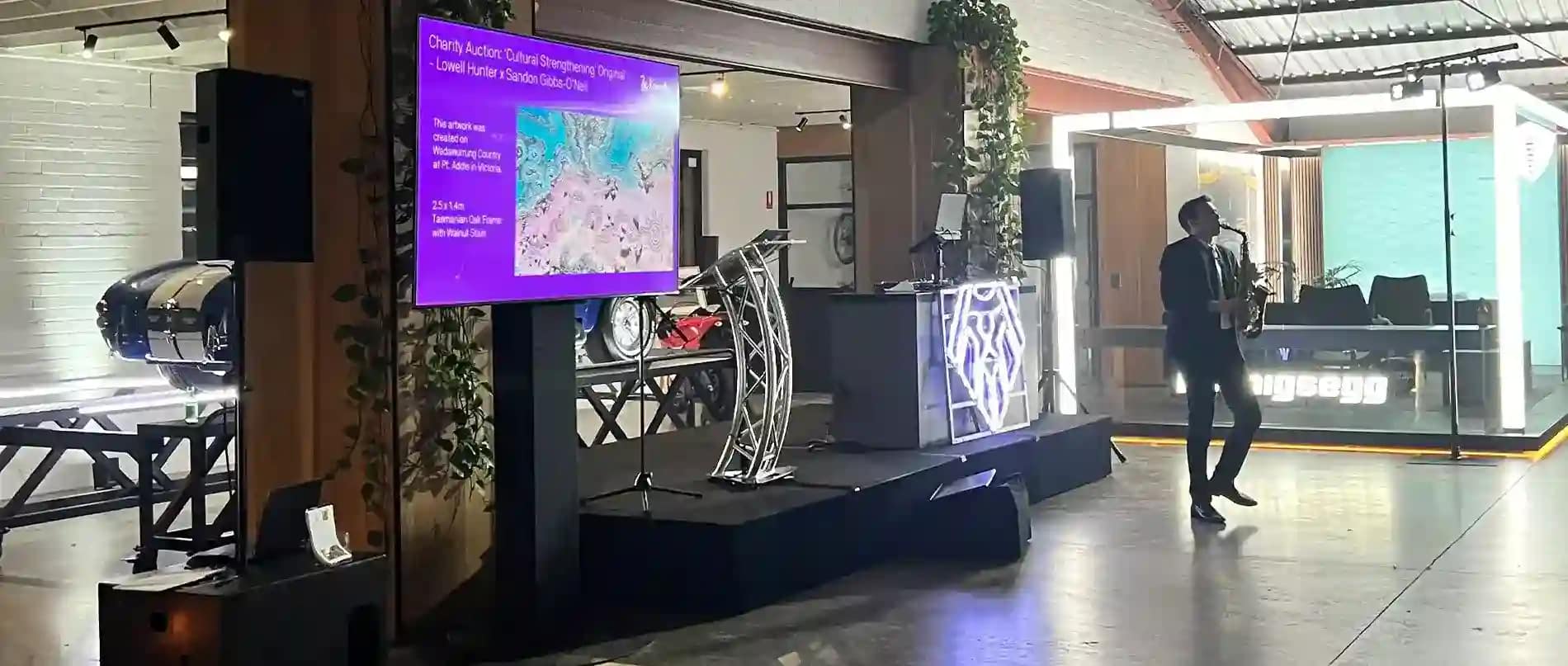
Read more »Planning takes months. Still, success hinges on those last few hours before guests walk in. Great sound, bright screens, and steady lights do not just occur naturally. They come from direct action, fast decisions, and early testing behind closed doors.
At Wwave Audio Visual, our crew deals with setup logistics constantly for big meetings, weddings, and concerts. Here is how a real AV setup rolls out on event day to turn an empty hall into a working show space.
Early Morning Logistics and Unloading
We start long before sunrise. Heavy trucks arrive at the back loading dock while the building is still cold and dark.
Securing the Venue and Gear
That initial hour controls the flow of the entire day. Gear needs to come off ramps fast so we
-
 September 02, 2026
10 Common Event AV Problems and How to Avoid Them
Read more »Running a great event takes work. We see it all the time. Microphones squeal, screens turn blank, or cables lie everywhere across the floor. A bad audio-visual setup quickly ruins an otherwise solid event plan.
At Wwave Audio Visual, we help people run smooth functions every week. Through our experience in Melbourne events, we know that most tech issues happen for simple reasons.
Here are ten frequent AV mistakes and our top practical tips to fix them early.
1. Loud Microphone Feedback
Nothing stops a speech faster than a sharp screech from the speakers. This happens when sound from a speaker enters the microphone and loops back around.
- Keep microphones behind the main speakers.
- Do not let presenters walk directly
-
 August 30, 2026
How to Choose the Right AV Setup for Your Event
Read more »Planning a party or meeting brings many moving parts. Sound and light often make or break the day. A bad mic ruins a great speech. Dark stages leave guests squinting. We know exactly how bad these feels. Often, the technology part seems like a foreign language to planners.
Our team at Wwave Audio Visual has seen it all. We have watched wrong cables delay big meetings. We have also seen perfect lights turn a boring hall into a magic space. Securing the proper equipment remains a very simple process. We will share several direct methods today to assist you in finding the ideal audio tools.
Understand Your Venue First
Rooms change how sound travels. High ceilings create terrible echoes. Outdoor spaces absorb bass energy fast. We always look at the physical space before doing anything else. A small boardroom needs very different tools compared to a large open warehouse.
Big windows cause glare problems for screens. Hardwood flooring disperses sound across the room. Observing these physical traits ensures you select the precise units you actually need.
Key Venue Checks
- Count the power outlets near the main stage area.
- Measure the ceiling height to ensure large screens will fit.
- Look for natural daylight that might wash out your video beams.
- Check for loading dock access to bring in heavy road cases quickly.
Select the Best Audio Equipment
People must hear every single word clearly. The right AV setup depends heavily on your guest count. Fifty people in a quiet room just need a simple active speaker on a stand. Five hundred people outdoors require a huge system. They need subwoofers and extra speakers placed down the sides. We always ask about the crowd size first.
Speech needs different tools than live music does. A local DJ needs heavy, loud bass. A keynote speaker just needs crisp high tones to be understood.
Audio Tips for Clear Sound
- Use lapel microphones for speakers who walk around a lot.
- Choose wireless handheld mics for easy passing during crowd questions.
- Add a digital sound mixer to quickly stop loud feedback noises.
- Place all main speakers above head height for better sound reach.
Focus on High-Quality Visuals
Screens keep everyone fully focused. Nobody wants to look at a tiny television from the very back row. We suggest matching the display size to the room depth. A simple math rule helps here. The screen height should be at least one sixth of the distance to the last row of seats.
Bright daytime rooms need glowing LED panels. Dark indoor rooms work great with standard projection boxes.
Visual Gear Options
- LED Video Walls: Great for extremely bright rooms and massive stages.
- Laser Projectors: Perfect for controlled dark rooms and huge vivid images.
- Confidence Monitors: Hidden floor screens to help presenters read their notes.
- Fast Fold Screens: Easy to build quickly for fast business meetings.
Design the Right Lighting Atmosphere
Bright white ceiling lights feel exactly like a hospital ward. Warm colours create a highly inviting mood. We use lights to guide eyes right to the stage. A good event equipment hire package includes choices to change the room feeling entirely.
Lighting sets the emotional tone for the whole night. A soft blue wash feels calm. Bright red feels highly energetic.
Smart Lighting Choices
- Use battery-powered uplights to paint dull walls with rich, warm colours.
- Point a bright, clear spotlight directly at the main talker.
- Add moving headlights for evening parties or live music acts.
- Include a custom gobo light to beam your company logo on the back wall.
Do Not Forget the Power and Safety
All this amazing gear needs electricity to run. Plugging too many heavy items into one wall outlet causes blown fuses. A dead silent room is the worst thing to happen during a big talk. We carefully map out power limits before plugging in a single black cable.
Safety matters more than anything else today. Loose cables cause dangerous trips and bad falls.
Power Planning Steps
- Count the total power watts needed for all your rented gear.
- Order a quiet, silenced generator for remote outdoor locations.
- Tape down all loose floor cables with proper heavy-duty stage tape.
- Use strong power boards for really big technical setups.
Conclusion: A Smarter Way to Plan Your Event Tech
Finding the correct tools takes a little patience. Every single choice impacts how your guests feel on the day. We believe the tech should quietly support your main message. It should never become a loud, annoying distraction. Taking the time to measure the room and count the guests solves most tech problems early.
Our crew at Wwave Audio Visual is always ready to help you pick. We love
-
 August 28, 2026
Planning an Event? Here’s What You Need to Know About AV Before the Day
Read more »When we set up a business meeting, a family celebration, or a wedding party, we manage dozens of tiny details all at once. Catering arrangements, floor maps, and hall styling demand primary focus during early planning. It is quite common to leave gear choices to the very last week. Even so, clean audio output and sharp video displays remain the real heart of any function.
At Wwave Audio Visual, our crew helps planners change basic halls into remarkable spaces right across Melbourne. We put together this handy guide so you can handle key tech steps well before people step through the door.
1. Matching Equipment to Your Venue Space
Sound and room lights change fast depending on where you place your gear. Low concrete ceilings, massive wall windows, or heavy floor mats shift how voices carry and how screen pictures show up to guests.
Essential Room Factors to Evaluate:
- Ceiling height and rigging points: Low beam heights limit total screen dimensions. High ceilings mean we must aim top speakers down into the audience carefully.
- Natural daylight: Sun brightens up indoor spaces, but it washes out cheap projector images quickly. High-brightness units or an LED LCD TV hire setup will solve that issue easily.
- Power outlet locations: Wall plug positions tell us where cables must run. Using high-load power distribution boards protects main breakers from tripping during your programme.
Our technicians read floor layouts early when talking with venue managers. Getting suitable units booked upfront saves precious hours once setup starts on site.
2. Choosing Sound Systems That Deliver Pure Clarity
Unexpected audio drops or muffled words ruin major talks in seconds. We prefer scaling sound setups to match total room depth and wall angles rather than just picking the loudest box on the shelf.
Key Audio Components for Seamless Delivery:
- Microphones: Handheld wireless mics suit floor Q&A moments. Lightweight lapel mics let hosts walk around freely, while boundary units gather group voices across a broad top table.
- Speakers and Subwoofers: Small powered speakers keep talking voices crisp in tight rooms. Adding subwoofers brings deep, rich tones when guests move to the dance floor later on.
- Audio Mixers: Good signal processors control baseline hum and stop harsh mic squeaks before sound leaves the main speakers.
Here at Wwave Audio Visual, we test every mic unit, power wire, and control board at our main Kensington base before trucks load up. That extra check keeps sound clean from start to finish.
3. Creating Impact with Visual Displays and Stage Lighting
Visual displays direct crowd attention where you want it. Whether we show slide presentations, launch new line items, or host live stage talks, good display points keep people watching.
Visual and Lighting Options to Consider:
- High-Power Data Projectors: Useful for long walls and wide halls where guests spread far across the room.
- Modular LED TV Screens: Sharp screens work best inside brightly lit trade booths, small workshops, or tight corners.
- Stage and Mood Lighting: Soft front lights show up speakers clearly. Battery-powered LED panels add colour to plain walls without trailing long cables across main walkways.
Proper stage decks and high stands give people sitting right at the back an easy, direct view of the main floor.
4. Why Technical Logistics Matter More Than You Think
Having good gear on hand is only part of the task. Strict load-in schedules, neat cable paths, and live desk management keep your overall programme running right on time.
Logistics Checklist for Event Day:
- Bump-in Timeframe: Check exact times when our team can enter the hall to run leads and lay down heavy safety covers.
- Tech Rehearsals: Test all mics with your speaker early. Run test slides on your presentation laptop to catch scaling mistakes early.
- On-Site Support: Having a tech operator near the desk keeps volume smooth so you can stay focused on your visitors.
Our team at Wwave Audio Visual takes care of transport, gear assembly, and fast end-of-day teardowns so you never need to untangle cords or configure complex boards yourself.
Conclusion: Partner with Wwave Audio Visual for Flawless Execution
Running a great function does not mean you have to work out complex technical problems on your own. Looking at your room layout early, picking accurate equipment packages, and relying on steady field support helps your event run smoothly.
At Wwave Audio Visual, we bring two decades of practical event work to provide dependable gear hire, custom stage setups, and complete event production services all across Melbourne. Reach out to our team today to go over your event ideas, get a detailed quote, and let us manage your technical setup with total care.
-
August 03, 2026
15 Common AV Mistakes That Can Ruin an Event (And How to Avoid Them)
Read more »No matter how well an event is planned, poor audio visual (AV) execution can quickly undermine the experience. A microphone that stops working, blurry presentation slides, poor lighting, or technical delays can distract attendees and leave a lasting negative impression.
Whether you're organising a corporate conference, product launch, exhibition, awards night, or hybrid event, avoiding common AV mistakes is essential for delivering a professional and memorable experience.
Here are 15 of the most common AV mistakes—and how you can avoid them.
1. Booking AV Services at the Last Minute
Leaving AV arrangements until the final weeks can limit equipment availability and increase costs. Booking early allows time for planning, site inspections, and equipment testing.
2. Choosing Equipment Based on Price Alone
The cheapest option isn't always the best value. Reliable equipment, experienced technicians, and responsive support often make the biggest difference during live events.
3. Not Conducting a Venue Site Inspection
Every venue has unique power requirements, lighting conditions, ceiling heights, and acoustic challenges. A site visit helps identify potential issues before event day.
4. Underestimating Audio Requirements
Poor sound quality is one of the most common complaints at events. Ensure the sound system is suitable for your audience size and venue layout.
5. Selecting the Wrong Display Solution
Using a projector in a brightly lit venue can make presentations difficult to see. In many cases, an LED video wall offers better visibility and audience engagement.
6. Ignoring Lighting Design
Lighting does more than illuminate a stage—it enhances visibility, sup
-
July 27, 2026
LED Video Wall vs Projector: Which Display Solution Is Best for Your Event?
Read more »Choosing the right display technology can significantly impact the success of your event. Whether you're planning a corporate conference, product launch, exhibition, awards night, or outdoor event, one common question is: Should I hire an LED video wall or a projector?
Both options have their advantages, but the right choice depends on your venue, audience size, lighting conditions, and event objectives. Understanding the differences will help you create a professional and engaging experience for your guests.
What Is an LED Video Wall?
An LED video wall is made up of multiple LED panels that seamlessly connect to create one large, high-resolution display. Unlike projectors, LED screens generate their own light, delivering bright and vibrant visuals even in well-lit environments.
LED video walls are commonly
-
July 20, 2026
The Complete AV Checklist for Corporate Events in Australia
Read more »A successful corporate event is about more than a great venue and engaging speakers—it depends on delivering a seamless audio visual (AV) experience. Whether you're organising a conference, seminar, product launch, awards night, or annual meeting, having the right AV equipment ensures your message reaches every attendee clearly and professionally.
Missing a microphone, unreliable internet, or poor lighting can negatively impact your event and your brand. That's why having a comprehensive AV checklist is essential during the planning process.
Here's a practical checklist to help you prepare for a successful corporate event in Australia.
1. Define Your Event Requirements
Start by understanding the basics of your event.
Ask yourself:
- How many guests are attending?
- Is the event indoor or outdoor?
- Will there be guest speakers or panel discussions?
- Do you need live streaming or event recording?
- Will presentations or videos be displayed?
- Is the event in-person, hybrid, or virtual?
Having clear answers helps determine the AV equipment and technical support you'll need.
2. Essential Audio Equipment
Clear, reliable sound is one of the most important elements of any corporate event.
Your audio checklist should include:
- Wireless handheld microphones
- Lapel (lavalier) microphones for presenters
- Headset microphones for hands-free presentations
- Professional speaker systems
- Audio mixers
- Confidence monitors for presenters
- Backup microphones and batteries
Always test microphones before the event and keep spare equipment available to avoid unexpected interruptions.
3. Visual Presentation Equipment
Your audience should be able to clearly see presentations, videos, and branding from every seat.</
-
July 13, 2026
How Much Does Audio Visual Equipment Hire Cost in Melbourne? (2026 Pricing Guide)
Read more »Planning a successful event involves more than choosing the right venue—it also requires reliable audio visual (AV) equipment to create an engaging experience for your audience. Whether you're organising a corporate conference, product launch, exhibition, awards night, or private function, one of the most common questions is: How much does AV equipment hire cost in Melbourne?
The answer depends on several factors, including the type of event, venue requirements, equipment needed, and technical support. Understanding these factors can help you set a realistic budget while ensuring your event runs smoothly.
What Affects the Cost of AV Equipment Hire?
Every event is unique, which is why AV hire costs can vary significantly. Here are the main factors that influence pricing:
1. Type of Equipment Required
The more specialised the equipment, the higher the investment. Common AV equipment includes:
- Professional sound systems
- Wireless microphones
- LED video walls
- Projectors and projection screens
- Stage lighting
- Staging and truss systems
- Live streaming equipment
- Video conferencing solutions
A small meeting room may only require a projector and speakers, while a large conference could need multiple LED screens, professional lighting, staging, and an experienced production team.
2. Event Size
The number of attendees directly impacts the AV setup.
For example:
Event Size
Typical AV Requirements
Small (20–50 guests)
Projector, speakers, microphones
Medium (50–200 guests)
Enhanced audio, stage lighting, presentation displays
Large (200+ guests)
LED walls, professional sound systems, staging, lighting, multiple technicians
Larger events generally require more equipment and additional technical staff to manage operations efficiently.
3. Venue Requirements
Every venue presents different technical challenges.
Factors such as ceiling height, room acoustics, power availability, indoor or outdoor setup, and existing AV infrastructure all influence installation time and equipment selection.
An experienced AV provider will assess the venue beforehand to recommend the most suitable solution.
4. Technical Support
Hiring quality equipment is only part of the equation. Professional technicians ensure every microphone, speaker, projector, and lighting fixture performs flawlessly throughout the event.
Having experienced technicians onsite reduces the risk of technical issues and gives event organisers peace of mind.
How to Budget for AV Equipment Hire
Instead of focusing solely on the lowest quote, consider the overall value offered by your AV partner.
When comparing providers, ask:
- Is setup and pack-down included?
- Are delivery costs included?
- Will technicians be onsite during the event?
- Is backup equipment available if required?
- Are all cables, accessories, and testing included?
Choosing a trusted AV company with proven experience can help avoid costly last-minute issues and ensure a professional event experience.
Why Work with an Experienced AV Partner?
Professional AV providers don't just supply equipment—they help design the right solution for your event goals. From equipment selection and venue planning to technical support and event production, working with an experienced team helps minimise risk while delivering a seamless experience for your audience.
Whether you're planning a boardroom presentation or a large-scale corporate conference, investing in reliable AV services contributes to a more engaging and successful event.
Frequently Asked Questions
How much does AV equipment hire cost in Melbourne?
Costs vary depending on the equipment required, event size, venue, and technical support. Requesting a customised quote is the best way to receive accurate pricing.
What equipment is commonly hired for corporate events?
Typical equipment includes microphones, speakers, projectors, LED screens, staging, lighting, presentation displays, and live streaming solutions.
Is technical support included with AV hire?
Many professional AV companies offer onsite technicians to manage setup, operation, and troubleshooting throughout the event.
How far in advance should I book AV equipment?
It's recommended to book several weeks in advance, particularly during busy conference and event seasons, to ensure equipment availability.
Can AV equipment be customised for different event types?
Yes. Professional AV providers tailor equipment packages to suit conferences, exhibitions, product launches, awards nights, hybrid events, and private functions.
Planning an upcoming event? The experienced team at Wwave provides tailored audio visual solutions for conferences, corporate events, exhibitions, and live productions across Melbourne and Australia. Contact us today for a customised AV hire solution that matches your event requirements.
-
July 07, 2026
Battery-Powered Lighting: Why Wireless Is Taking Over Melbourne Events
Read more »Melbourne's event industry is shifting. Not slowly either. The change is real, it is visible, and anyone who has worked on events in the past couple of years already knows what we are talking about.
Battery-powered lighting is everywhere now. Weddings, rooftops, corporate dinners, fashion shows. Cables are becoming less common, and that is, genuinely, a good thing.
We at Wwave have watched this shift happen up close.
What Even Is Battery-Powered Lighting?
Simple answer: lights that run on built-in rechargeable batteries. No cord. No plug. No hunting for a power point behind a venue bar.
Products like the Astera AX1 Pixel Tube or the Chauvet Freedom Flex H4 LED Battery Parcan sit fully charged and ready to go. Place them, control them wirelessly, done.
It sounds basic. The results are anything but.
Why Melbourne Events Are Making the Switch
Venues Have Limits. Wireless Lighting Does Not.
Heritage buildings. Rooftop terraces. Garden marquees. Outdoor courtyards with zero infrastructure. These are real Melbourne venues with real power restrictions.
Wireless event lighting solves that immediately. No negotiating with venue managers about cable runs. No creative workarounds. Just fixtures placed exactly where the brief needs them.
Setup Time Drops Significantly
Anyone who has done a proper bump-in knows the cable stage is the slow part. Routing multicores, taping leads flat, hiding power boards under cloth, and checking that nothing is a trip hazard. It eats time.
Battery-powered lights skip most of that:
- No cable runs across the floor
- No extension lead placement required
- Crew positions fixtures in a fraction of the usual time
- Fewer safety checks needed before guests arrive
For tight bump-in windows, which honestly describes most Melbourne events, that time saving is substantial.
The Look Is Just Cleaner
Cables are functional. They are not particularly elegant. A beautifully styled table with a visible cord running underneath it loses something. Hard to explain, easy to notice.
Wireless lighting fixtures sit neatly on surfaces, inside arrangements, along pathways and beneath furniture. The whole setup looks considered. Guests feel it even when they cannot name it.
Outdoor Events? Not a Problem.
Melbourne's weather is famously unpredictable. A clear afternoon in March can turn within the hour.
IP-rated battery-powered fixtures like the Chauvet Freedom Flex handle outdoor conditions properly. Rain, humidity, a bit of wind. None of it causes an issue. Which makes them genuinely useful for:
- Garden weddings
- Rooftop corporate events
- Outdoor brand activations
- Festival-style private functions
Full Control, Fully Wireless
Here is the part that surprises people. These lights are not just cable-free physically. Many run on wireless DMX, which means a technician controls colour, brightness, and effects remotely from a single board.
During a live event, that matters. Lighting shifts during a speech. Colour changes at a key moment. Dynamic effects timed to a performance. All of it was
-
June 30, 2026Categories: audio visual
The Complete AV Checklist for Melbourne Conference Organisers
Read more »Running a conference in Melbourne takes real effort. There's the venue, the speakers, the schedule, the catering and somehow, the audio visual setup ends up on the bottom of the list. Until the day itself. Then it becomes the only thing that matters.
We've seen it happen. A presenter steps up, taps the mic, and nothing. Silence. Three hundred people staring. That's not a small problem. That's the whole event unravelling in real time.
This checklist exists so that doesn't happen to you.
Start With Sound. Always.
Audio Equipment You Actually Need
Bad audio ruins good content.
It doesn't matter how brilliant your keynote speaker is. If the back row can't hear them clearly, those attendees are mentally checking their phones within four minutes.
Recent Posts