We use cookies to make your experience better. To comply with the new e-Privacy directive, we need to ask for your consent to set the cookies. Learn more.

Best AV Setup for Virtual Conferences and Webinars
May 12, 2026
Categories:
Virtual Conference
Running a virtual conference that actually holds attention is harder than most people expect. Bad audio alone can kill a session within the first few minutes. Blurry video? Attendees quietly close the tab and move on.
A well-planned AV setup for virtual conferences separates a forgettable online event from one people genuinely reference later.
Here is what actually works in practice.
Why Your AV Equipment Matters More Than Your Agenda
A sharp speaker with a crackling microphone loses the room fast. Online audiences are surprisingly unforgiving about poor audio and video quality. It is a bit like ordering food at a great restaurant, only for the waiter to drop it on the table without a word. The quality behind the scenes stops mattering pretty quickly.
Your webinar AV equipment carries your brand, your message, and, honestly, your credibility. This is not about big budgets. It is about picking the right tools.
Core Components of a Strong Virtual Conference AV Setup
1. Audio: The Non-Negotiable Foundation
Clear sound is everything. Really, it is.
- A wireless lapel microphone or condenser microphone delivers clean, focused audio pickup
- Built-in laptop mics catch room noise, keyboard sounds and even the hum of air conditioning. Worth skipping entirely
- A mixer puts real-time control over multiple audio sources in one place, no mid-session scrambling
- A signal processor noticeably cuts the echo and background noise
- For panel-style webinars, conference microphones manage multiple voices without losing clarity
Wwave stocks a broad range of professional microphone hire options, covering everything from lapel mics to full conference audio systems, suitable for small team meetings and larger virtual events alike.
2. Visual: Screens, Cameras, and Real Clarity
Visuals need to match whatever quality the content deserves.
- A high-definition video camera visibly outperforms any standard webcam, and viewers notice immediately.
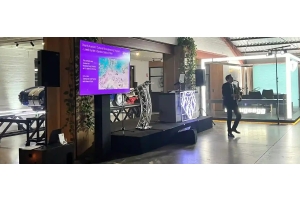
- Large LCD or LED TV screens are useful for multi-presenter setups and keeping presenters across green rooms connected.
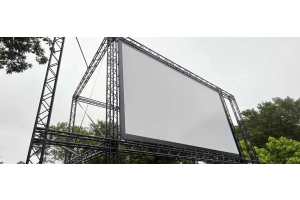
- Projectors paired with projection screens work particularly well for hybrid events where some attendees are physically present.
- Proper camera tripods keep the frame steady, which matters more than people realise
Wwave offers camera hire, TV screen hire and projector hire across various sizes and specifications, fitting both virtual-only and hybrid event formats.
3. Lighting: The Detail Nobody Plans For
Flat lighting makes faces look washed out on screen. It is one of those quiet credibility killers. Nobody can pinpoint it exactly, but something just feels off.
- LED panel lights or par can lights bring warmth and dimension to any on-camera setup
- Lights positioned slightly above eye level, angled to one side, create a natural, flattering look
- Battery-powered LED options cut cable clutter and give real flexibility in tighter spaces
Practical Tips for a Smooth Webinar
- Run a full test at least two hours before going live, not right before
- Keep a backup microphone close by, every single time
- A mixer blends multiple presenter audio sources without the mess
- Solid power distribution matters; for larger setups, generator hire is worth the investment
- High-stakes events genuinely benefit from a dedicated AV technician on the day
Hire vs Buy: What Makes More Sense?
For one-off webinars or events that happen a few times a year, hiring professional AV equipment costs far less than buying. Wwave provides flexible audio visual hire across Melbourne, with delivery, setup support, and 24/7 event-day assistance included.
Hire packages bundle audio, visual, and lighting together, keeping logistics simple and costs predictable.
Build Your Virtual Event on Equipment That Actually Delivers
A virtual conference performs only as well as the technology behind it. The right microphones, cameras, lighting, and AV control turn an average webinar into something attendees genuinely return for.
With over 25 years of hands-on experience, Wwave makes professional AV setup straightforward, accessible, and reliably solid from start to finish.
Recent Posts